Oyun Karakteri Seçim Arayüzüne Dönüştürme

Dinam
06.12.2025
0
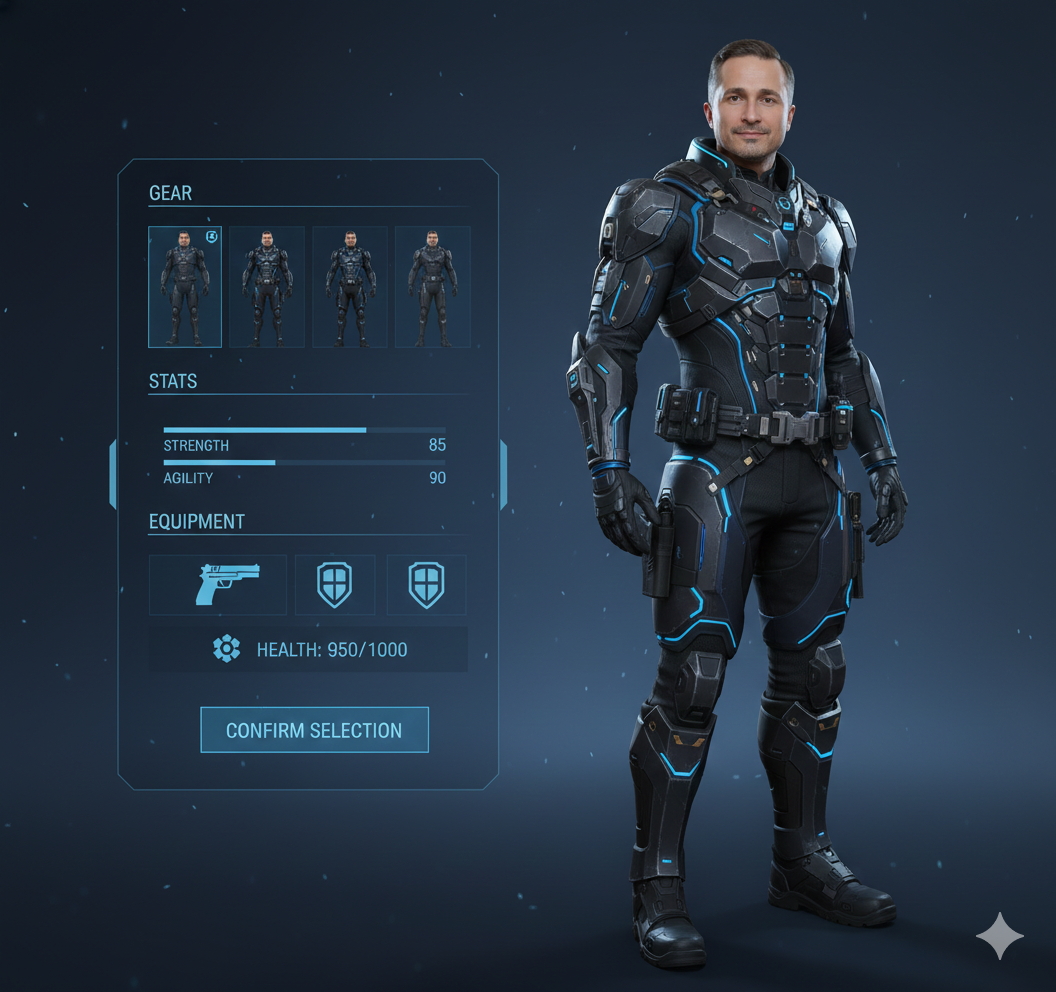
Yukarıdaki görseller Leonardo AI ile yapılmıştır
Açıklama
Girilen kişi görüntüsünü bir oyun karakteri seçim arayüzüne dönüştürün.
Prompt
Transform the input person image into a game character selection interface. Display the character on the right side as a full-body portrait, standing upright at a 45-degree angle facing both the screen and the left-side selection module, mimicking a selected state in a video game. Retain the person image's facial features, expression, and hairstyle, but adapt the clothing to a game-inspired style (e.g., fantasy armor, sci-fi suit, or RPG adventurer outfit) with intricate details, vibrant textures, and thematic accessories, while preserving the original clothing's color scheme and general aesthetic. If the input is a half-body image, seamlessly complete the lower body, matching the game-style clothing and proportions. On the left side, present a sleek interface with selectable options including game-style clothing variations (e.g., different armor sets, robes, tactical gear), martial stats (e.g., strength, agility), equipment (e.g., swords, gadgets, shields), and health points, styled as interactive game UI elements with clear labels and modern design. Arrange the layout to mimic a video game character selection screen, with a smooth, unified background gradient (e.g., dark blue to soft gray) for a cohesive, natural transition across the image. Use consistent, cinematic lighting and subtle glow effects to enhance the game-like atmosphere while maintaining the character's real-world facial essence.